A Complete Guide to IBM Server Maintenance and Support
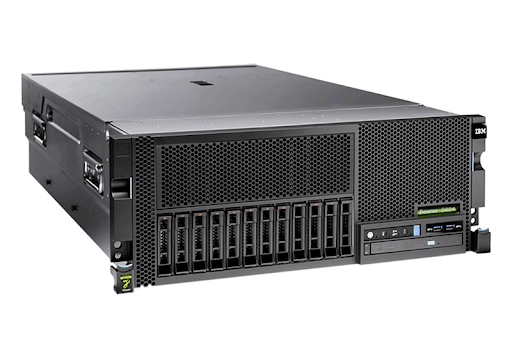
Enterprise servers play an important role in supporting business applications, managing databases, processing transactions, and storing essential information. For organizations that depend on IBM systems, maintaining server performance and reliability is crucial for daily operations. Unexpected hardware failures, outdated components, and inadequate monitoring can lead to downtime and increased operating costs. This makes IBM server maintenance an essential part of effective IT infrastructure management.
Regular maintenance helps businesses identify potential issues early, improve system stability, and extend the useful life of their equipment. A structured maintenance plan also allows IT teams to manage resources more efficiently while supporting business continuity.
Importance of IBM Server Maintenance
IBM servers support a wide range of business-critical workloads across different industries. These systems often handle important applications and information that must remain accessible. Without proper maintenance, server performance may decline, and hardware problems can interrupt business operations.
Preventive maintenance helps identify warning signs before they develop into major failures. Checking system temperatures, reviewing error logs, monitoring storage capacity, and inspecting hardware components can reduce the risk of unexpected disruptions.
Regular maintenance also helps organizations make better use of their existing infrastructure. By keeping server components in good working condition, businesses can improve operational efficiency and avoid unnecessary equipment replacement.
Essential Components of IBM Server Maintenance
Hardware Inspection
Hardware inspection is a fundamental part of server maintenance. Power supplies, cooling fans, memory modules, storage drives, and internal connections should be checked regularly for signs of damage or deterioration.
Maintaining proper airflow and temperature conditions is equally important. Dust accumulation and cooling problems can cause overheating and affect server performance. Routine inspections help technicians identify potential issues and determine when repairs or replacement components are required.
Firmware and Software Updates
Outdated firmware and software can create compatibility problems and expose systems to security vulnerabilities. Reviewing available updates and applying appropriate fixes helps maintain system stability.
Before installing updates, IT teams should check compatibility, create backups, and schedule maintenance during suitable periods. A planned update process reduces the likelihood of unexpected interruptions and helps keep business applications operating reliably.
Performance Monitoring
Monitoring CPU usage, memory consumption, storage capacity, and network activity helps administrators understand server performance. Unusual resource usage or repeated system alerts may indicate developing technical problems.
Regular performance reviews allow IT teams to identify bottlenecks, troubleshoot errors, and maintain efficient workloads. Keeping maintenance records also helps identify recurring issues and supports better infrastructure planning.
Backup and Recovery Planning
Data protection is another important aspect of server maintenance. Hardware failures, accidental deletions, and security incidents can affect access to critical business information. Organizations should maintain regular backups and test their recovery procedures periodically. A documented recovery plan helps IT teams restore essential data and applications more efficiently when unexpected incidents occur.
Benefits of Professional IBM Server Maintenance
Professional maintenance support can help businesses manage their server infrastructure and reduce the pressure on internal IT teams. Depending on the selected service agreement, support may include hardware diagnostics, troubleshooting, component replacement, and ongoing maintenance.
The main benefits include:
Reduced downtime: Identifying potential failures early helps prevent avoidable service interruptions.
Improved performance: Regular checks help maintain efficient server operations.
Cost management: Maintaining suitable existing equipment may reduce premature replacement expenses.
Extended equipment lifespan: Proper care helps businesses maximize the value of their hardware investments. Better planning: Scheduled maintenance allows IT teams to coordinate technical work with business requirements.
When choosing a maintenance provider, organizations should consider server models, hardware compatibility, response times, replacement-part availability, and support costs. Developing an Effective Maintenance Strategy An effective maintenance strategy begins with documenting server configurations, software versions, and support requirements. Businesses should identify their most critical systems and prioritize maintenance according to operational importance.
Creating a maintenance calendar helps ensure that inspections, updates, backup testing, and performance reviews are completed consistently. Organizations should also review their support arrangements as equipment ages and business requirements change.
For older server environments, evaluating third-party maintenance options may help businesses continue using suitable hardware while controlling infrastructure expenses. However, support coverage, security requirements, and component availability should always be assessed before making a decision.
Conclusion
Reliable IBM server maintenance helps organizations protect important data, improve system performance, reduce downtime, and manage IT expenses. Through regular inspections, timely updates, performance monitoring, and dependable backup procedures, businesses can maintain a stable server environment. Choosing the right maintenance approach also supports long-term infrastructure planning and operational continuity. Spectra Technologies Inc. helps businesses explore server maintenance and support solutions for their enterprise IT infrastructure. .